Getting Started
ring ring HELLO? HELLO, HELLO?!
uuuuh We wanted to type up a message for you to help you get settled in on your first night.
Prerequisites
The Client Package
To begin patrolling the dark, dank halls of QBB, you must download the contents of this repository. You may do so in many ways… here are some:
Using Git’s built-in CLI
In the directory you want to download to, run the following command:
git clone https://github.com/<user>/Byte-le-Engine-2026-Client-Package.git
Using GitHub CLI
In the directory you want to download to, run the following command:
gh repo clone <user>/Byte-le-2026-Client-Package
Using GitHub Desktop
Go to https://github.com/acm-ndsu/Byte-le-2026-Client-Package
Press the
<> Codebutton to drop down a menu:
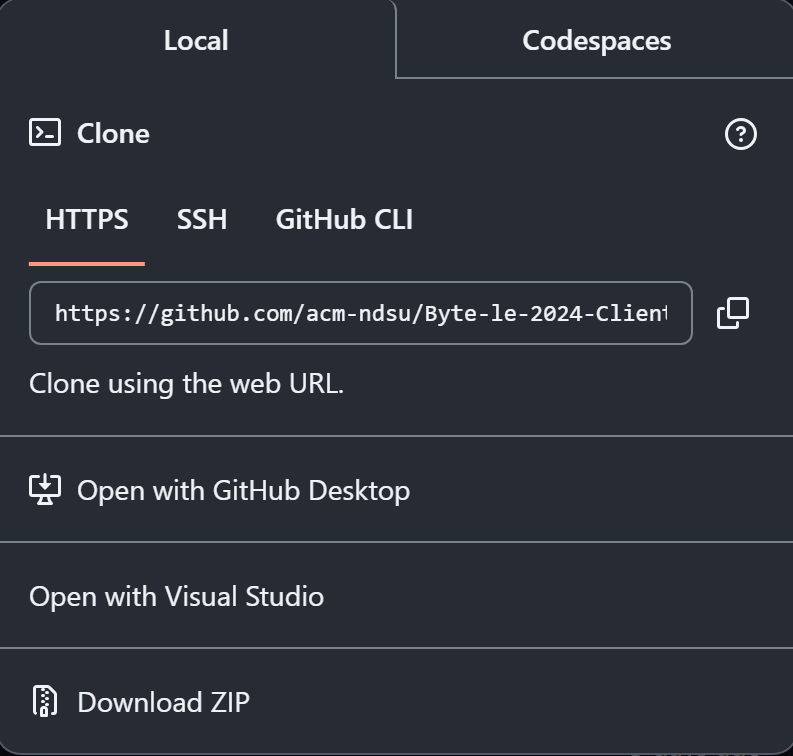
- Press “Open with GitHub Desktop”
Allow the website to open GitHub Desktop if you have it downloaded already
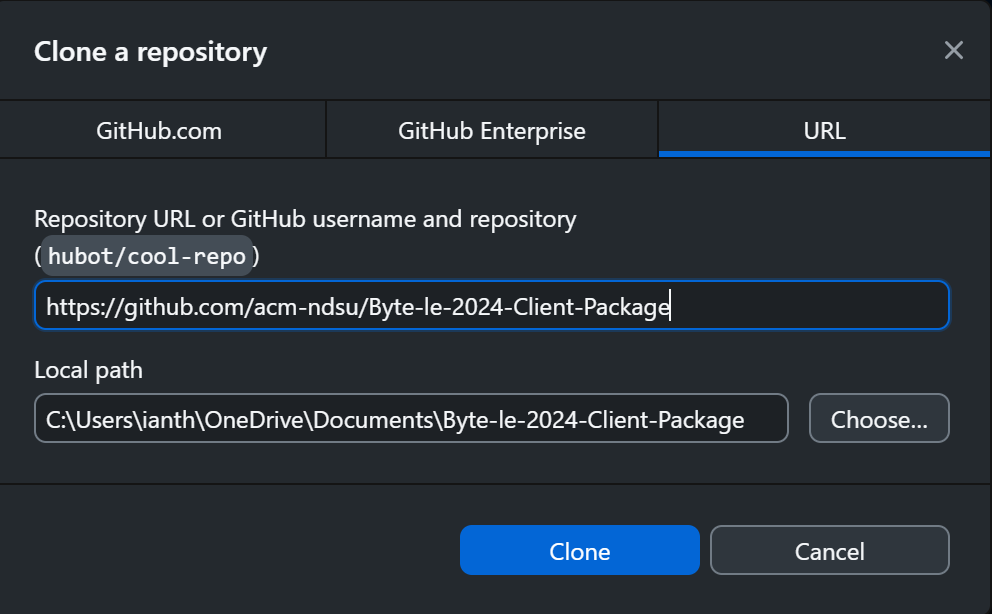
Once in GitHub Desktop, the URL to the repository will be provided
Choose where you’d like it saved on your device
Click
Cloneand you’re good to go!
Download ZIP
Go to https://github.com/acm-ndsu/Byte-le-2026-Client-Package
Press the
<> Codebutton to drop down a menu:
Click
Download ZIPand find it in your Downloads.Extract the files somewhere on your device.
Installing Dependencies
It’s good practice to set up a virtual environment to separate Byte-le’s packages from any system-wide Python packages you might have installed. For more information on Python virtual environments, go here. In your project directory, run the following commands in a command line:
python -m venv .venv
To activate your virtual environment, run one of the following commands depending on your shell:
.\.venv\Scripts\activate.bat
.\.venv\Scripts\Activate.ps1
source .venv/bin/activate
source .venv/bin/activate.fish
If you don’t see your shell or these don’t work, find the appropriate command for your shell here.
Note
If your virtual environment was activated, your shell might notice, adding “.venv” somewhere in your prompt like so:
(.venv) C:\path\to\Byte-le-2026-Client-Package\>
(.venv) PS C:\path\to\Byte-le-2026-Client-Package\>
(.venv) /path/to/Byte-le-2026-Client-Package $
.venv /path/to/Byte-le-2026-Client-Package >
Alternatively, you can check your path to Python:
where.exe python
where.exe python
which python
If your virtual environment is activated, the output of these commands should include a path that looks something like /path/to/Byte-le-2026-Client-Package/path/to/venv/bin/python.
Once your virtual environment is activated, run the following command to install Byte-le’s packages:
pip install -r requirements.txt
More useful commands are listed in Useful Commands.
What Now?
To learn more about the game mechanic’s, read How To Play!
To get your team registered and learn how to submit your code, read The Server!
To learn how to make your lil’ guy do stuff, read Controlling your Avatar!
For tips on programming your client, read Tips & Tricks!
Submitting Issues
If you run into issues with the game, please submit an issue to the Discord server in the #bug-reporting channel or call a developer over!